
Gavior Journal · AI Automation · 8 min read
SaaS Workflow Automation Consulting: Engineering Enterprise Efficiency
SaaS workflow automation consulting maps a business process across applications, defines its rules and owners, and turns it into a monitored integration. The engineering work includes permissions, reliable data exchange, exception handling and acceptance tests. Efficiency should be measured against the existing process, including the work people still perform.
Automation and engineering editorial team
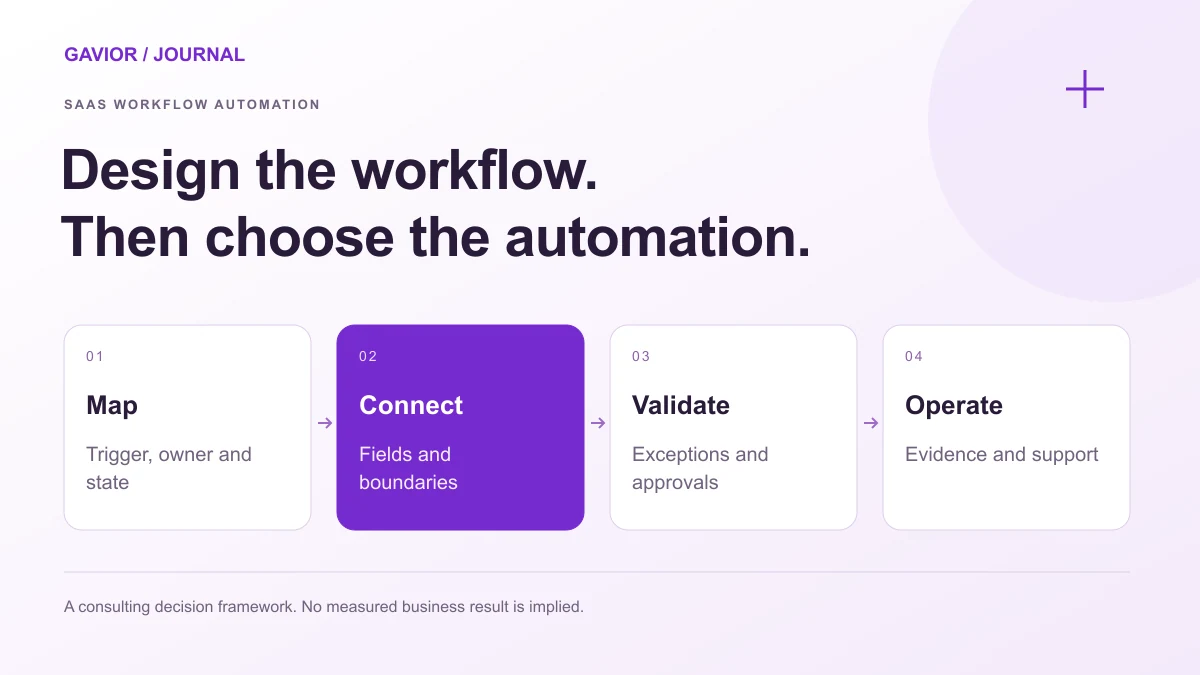
For a founder, the problem might be paid customers waiting for access. For an operations director, it might be staff copying the same order between a CRM, service portal and finance system. Both need a defined business outcome before choosing an automation platform. This guide explains what to commission and how to assess the result.
What should SaaS workflow automation consulting deliver?
A useful engagement produces a process your team can operate, investigate and change. A diagram of connected applications is only one part of that deliverable.
| Deliverable | What a buyer should be able to review |
|---|---|
| Current process map | Trigger, systems, handoffs, delays and exception owners |
| Future workflow specification | States, permitted transitions, completion rules and exclusions |
| Integration contract | Required fields, identifiers, permissions and failure behavior |
| Working implementation | A complete path through the relevant systems |
| Acceptance evidence | Results for normal cases, interruptions and invalid inputs |
| Operating handover | Alerts, recovery instructions, access ownership and maintenance responsibilities |
An integration contract describes the assumptions two systems depend on. For example, it can state which application owns a customer's billing status and which identifier connects that record to a workspace. Without those decisions, the same customer can appear differently in every tool.
Use the automation discovery workshop guide to define the decisions and artifacts the engagement should produce. For a product-to-CRM connection, the CRM and SaaS data-sync checklist provides a field-level contract to review.
Gavior's AI automation services and SaaS development services address different parts of this work. An integration between existing tools may be sufficient. A custom portal becomes relevant when people need a shared place to review, approve or track work that those tools do not support adequately.
Which system should own each decision?
Choose an authoritative source for each important fact. A payment provider may own transaction status, the product application may own workspace access, and an operations team may own an approval. Writing every value back to every system creates more opportunities for conflicting updates.
Record these boundaries before implementation:
- Business identity: how customers, organizations and requests are matched across applications.
- Decision authority: which system or person can approve a change.
- Data direction: which fields flow one way and which require controlled synchronization.
- Permission scope: what each integration can read or change.
- Completion evidence: which record proves the business task finished.
For multi-organization products, a matching record must also belong to the correct organization. Review the SaaS tenant isolation checklist when an automation operates across customer workspaces.
When a person authorizes an action, define what they can approve, which version they reviewed and when that decision expires. The SaaS approval workflow guide separates these decisions from simply adding an Approve button.
What does an end-to-end workflow look like?
Consider a hypothetical B2B SaaS onboarding process. This example illustrates design decisions; it is not a Gavior client result.
A customer completes an order. The team needs to confirm payment, create the correct workspace, assign an onboarding task and tell the customer what happens next. Today, an operator might move between several tools to finish those steps.
| Step | Required behavior | Exception route |
|---|---|---|
| Receive an order event | Verify its source and identify the organization | Hold an unknown or invalid event for investigation |
| Check eligibility | Confirm the agreed payment and approval conditions | Send missing or conflicting information to an owner |
| Provision access | Create or locate the intended workspace once | Retry recoverable failures without creating another workspace |
| Assign onboarding | Record the task against the same customer reference | Preserve the pending task if the destination is unavailable |
| Notify the customer | Send the message after the required state is confirmed | Make failed delivery visible for follow-up |
The important design question is what happens between steps. If workspace creation succeeds but task creation fails, repeating the whole sequence could create duplicate access. Store enough progress to resume the pending action instead. Define whether a cancellation requires revoking access, opening a review task or another business-specific response.
This is why workflow engineering includes recovery behavior. Microsoft's compensating transaction guidance explains why reversing a distributed operation may require application-specific actions rather than restoring an earlier database value.
How should integrations handle retries and interruptions?
A successful HTTP response does not always prove that the business task completed. Record receipt separately from processing, and keep an identifiable status for work that remains pending.
Use the workflow monitoring and recovery guide to specify who receives a failure, when processing should stop and which evidence is required before retrying or closing the case.
Stripe's webhook documentation describes signature verification and warns that event delivery can be repeated or arrive out of order. The practical implication is to test the provider's actual delivery behavior and prevent a repeated notification from applying the same business action twice.
Ask the implementation team to demonstrate:
- A repeated event produces the intended final state without duplicate side effects.
- An unavailable destination leaves visible, recoverable work.
- A delayed update cannot silently overwrite a newer decision.
- A failed or expired credential raises an actionable alert.
- A person can identify the affected customer and resume or close the exception.
Document retry limits and escalation conditions. Retrying an invalid address repeatedly does not solve the underlying problem. Some failures require corrected data, renewed authorization or a human decision.
Workflow orchestration can help manage these states. For example, AWS Step Functions supports state-based workflows, error handling and human interaction patterns. That is one implementation option; the architecture should follow the workflow's requirements and the team's operating capabilities.
When does AI belong in the workflow?
Use explicit rules for explicit decisions. A required field, approved account status or exact reference lookup normally does not need a language model. AI becomes relevant when a task involves interpreting variable text, proposing a classification or drafting material for review.
Define the boundary between a suggestion and an action. An AI system might summarize an onboarding request for an operator; that does not automatically authorize it to grant access or change billing. Evaluate it using representative inputs, including ambiguous and incomplete examples, and provide a review path when the output is unsuitable.
Keep the first release tied to one complete task. The SaaS MVP scope checklist shows how to document inclusions, exclusions and acceptance conditions without turning an initial workflow into an entire product backlog.
How can a buyer measure enterprise efficiency?
Compare the same process before and after the pilot. Use comparable case types and count exceptions as part of the workload.
| Measure | What it tells the team |
|---|---|
| End-to-end completion time | Whether customers or colleagues wait less |
| Human handling time | How much active work remains per completed case |
| Exception and rework rate | Whether effort moved into error correction |
| Unresolved work by age | Whether failures accumulate outside the normal queue |
| Operating cost per completed case | How usage, review and maintenance affect the business case |
Separate time released from cash savings. Staff capacity may improve without an immediate reduction in expenditure. Use the enterprise automation ROI guide for cost assumptions and build-versus-buy evaluation; this article does not assume a particular saving or payback period.
What product evidence can Gavior show?
Gavior Orbit is our own product. Its published product walkthrough shows a content workspace and the receiving application's role in publishing; our CMS setup documentation records the connection and content requirements. Use these to inspect relevant product and integration work, then ask for evidence against your workflow's own acceptance criteria. A project proposal should distinguish demonstrated functionality from work still to be built.
What should you send Gavior before an automation discussion?
Bring one workflow, its current applications, representative sample inputs and the person responsible for its outcome. Include known failures and the conditions that must remain subject to approval. Redact confidential information from an initial enquiry.
Gavior can use that brief to discuss the integration boundary, implementation requirements and whether a custom application is needed. Describe your workflow to Gavior and identify where work currently stops, repeats or requires manual copying.
Frequently asked questions
What is the difference between workflow consulting and implementation?
Consulting defines the process, ownership, requirements and evaluation criteria. Implementation builds, connects and tests the agreed workflow. Confirm which deliverables, handover responsibilities and ongoing support are included in the engagement.
Does SaaS workflow automation always require custom software?
No. Existing product features or an integration platform may meet the requirement. Custom software becomes an option when the required process, interface, access model or recovery behavior cannot be met adequately with the available tools.
Can workflow automation run without AI?
Yes. Rules, scheduled tasks, APIs and event-driven integrations can automate many workflows without AI. Add an AI component only when its interpretation or generation capability addresses a defined requirement and can be evaluated.
Who should maintain an automated workflow after launch?
Assign a named business owner and a technical maintainer. The handover should explain monitoring, credentials, exception handling, release changes and support boundaries. Responsibility depends on the agreement rather than the automation platform alone.
Gavior Editorial Team
Automation and engineering editorial team at Gavior
The Gavior Editorial Team shares practical guidance on product design, software engineering, cloud delivery and AI automation.
Explore Related Gavior Capabilities
SaaS development
Subscription products designed for scale from the first release.
AI automation
Practical intelligence woven into the way your business works.
Custom software development
Design and build software for your specific operations, with clear user roles, integrations and a maintainable delivery plan.
Technology Software Solutions
Tailored engineering, automation, and enterprise systems for technology leaders.
Logistics Software Solutions
Tailored engineering, automation, and enterprise systems for logistics leaders.
Further Reading
SaaS Automation Discovery Workshop Checklist
Plan a SaaS automation discovery workshop with workflow maps, integration boundaries, exception owners and acceptance evidence before committing to a build.
Enterprise AI Automation ROI: Build or Buy?
Compare enterprise AI automation options using workflow fit, setup, usage, review and exit costs. Build a business case before choosing custom software or SaaS.