Gavior Journal · Software Engineering · 6 min read
CRM and SaaS Integration: Data Sync Checklist
A CRM and SaaS integration brief should define which system owns each field, how records match, when changes travel and how conflicts are resolved. Specify permitted actions, reconciliation checks and failure ownership. These rules turn “keep both systems in sync” into behaviour a team can test.
Gavior Editorial Team
Software and automation editorial team
Published: 2026-10-28Updated: 2026-10-28
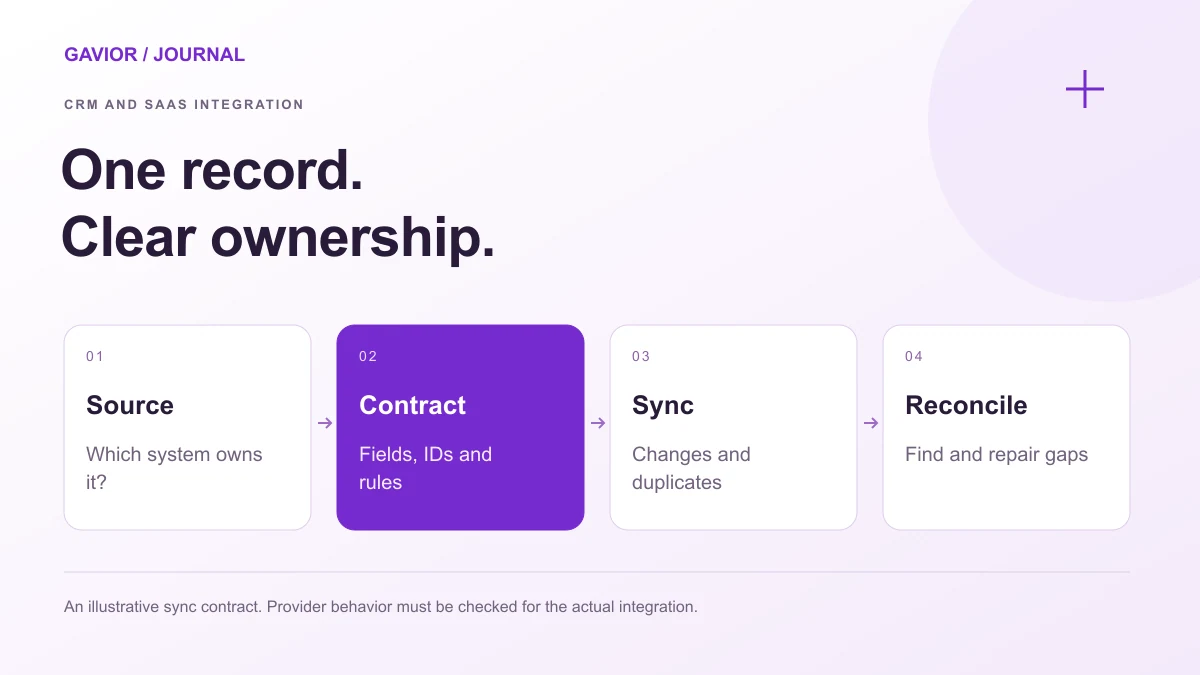
An illustrative data-sync contract. Check the actual provider behavior and integration requirements. View full-size image ↗
Two systems can display the same customer while disagreeing about their identity, subscription state or assigned owner. A successful API request proves only that a request was accepted; it does not prove the correct records now agree.
Make your move
Ready to turn a better idea into a better business?
Use this checklist when scoping SaaS development that connects a product with a CRM. It focuses on the data contract, rather than a comparison of integration tools.
Assign authority at field level. The CRM might own the account manager while the product owns the workspace identifier. A billing provider may own payment status. Calling the whole CRM the source of truth does not resolve these differences.
Write one row per field or business concept. Include its meaning, accepted values, direction, allowed writers and treatment of blanks. Clarify whether a blank means “unknown,” “not applicable” or “delete the existing value.” Those meanings require different behaviour.
Hypothetical field map: The following is a planning example, not a description of a delivered client integration.
Data item
Authoritative system
Allowed direction
Conflict or validation rule
SaaS workspace ID
Product database
Product → CRM
Preserve the product-issued identifier
Assigned account manager
CRM
CRM → product
Accept only a recognised active owner
Paid subscription state
Billing provider
Billing → product and CRM
Derive from the agreed billing object
Customer contact name
Named owner agreed in the brief
As specified per field
Route ambiguous competing edits for review
Marketing preference
Approved preference source
Only approved destinations
Preserve purpose and authority boundaries
Version the field map when properties or business definitions change.
How will the integration recognise the same customer?
Prefer a durable cross-reference between the systems' record IDs. Define when that cross-reference is created, where it is stored and who can repair an incorrect match. One business may have multiple workspaces or contacts; avoid assuming a one-to-one relationship without checking.
Specify existing-record matching: external ID, approved secondary identifier or manual review. Similar names alone should not trigger a merge.
HubSpot's contacts API guide documents record IDs and supported unique-property identifiers. Check the chosen object's actual operations before designing a match rule. A mutable customer attribute should not automatically become your integration's permanent identity key.
Define separate policies for duplicate creation, CRM merges, archived records and product account closure. Retaining a reference to an archived record may be useful for audit history, while continuing to update it may be incorrect.
Does the workflow need webhooks, polling or both?
Choose timing from the business consequence. An internal summary may tolerate scheduled updates; an access decision may require a different freshness target. State the acceptable delay and what the application shows while data is pending.
Approach
Useful when
Decisions still required
Webhook-driven updates
The provider exposes relevant change events
Verification, duplicates, ordering and recovery
Scheduled polling
Changes can wait or suitable events are unavailable
Cursor, rate budget, overlap window and missed-run handling
Event updates plus reconciliation
Drift needs independent detection
Comparison scope, repair authority and exception ownership
HubSpot describes change subscriptions in its webhook configuration documentation. Confirm the object and event coverage your app can actually use. A webhook subscription does not replace a decision about missed updates or historical imports.
What happens when updates collide or arrive twice?
Specify the winning rule per field. “Latest update wins” is incomplete until the team agrees whose timestamp is trusted and whether late delivery can overwrite newer authoritative data. In some workflows, only the designated owner can write the field; competing edits become exceptions.
Also distinguish an event arriving twice from two genuine changes to one record. Keep an event or operation reference appropriate to the provider, and make repeated processing safe for downstream actions such as task creation or notifications.
Stripe's webhook documentation explicitly covers duplicate events and the absence of an ordering guarantee. This illustrates why the brief must describe delivery behaviour for each integration rather than assume one event means one execution. Verify the current authoritative object state when the design requires it.
Prevent update loops: a copied change should not return as a new edit and overwrite its source. Specify an origin or version mechanism.
What should the integration be allowed to read and change?
List the object and operation permissions needed for the workflow. Keep an enrichment process that reads contact details separate from an integration that can change billing or remove records. State which account owns the connection and who responds when it is revoked.
Specify what appears in logs and error messages. Operators need record references, failure reasons and recovery context; they do not automatically need full customer payloads. Agree handling for sensitive fields, retention and deletion requests with the responsible business owner.
AI suggestions should also respect field ownership and approvals.
How will operators detect and repair drift?
Reconciliation compares expected records with actual records independently of individual delivery logs. Define the comparison population, authoritative fields, acceptable delay and treatment of records that exist in only one system.
Use specific exception categories: missing cross-reference, invalid field value, rejected permission, exhausted retry or conflicting update. Assign each category an owner and an allowed recovery action. A generic “sync failed” notification makes routine repair unnecessarily difficult.
Show what succeeded before retrying; recovery should not recreate accounts or repeat welcome messages. The automation discovery workshop checklist covers decisions to settle before implementation.
What acceptance checks belong in the integration brief?
Use representative records and explicit expected states. Include a new customer, a later edit, a repeated event, competing updates, an archived record, revoked access and a temporary downstream failure. Check both systems and the operator's recovery view.
For the hypothetical field map above, test that the product's workspace ID remains unchanged after a CRM contact correction. Then interrupt an update and confirm that recovery completes the intended change without creating a second workspace. These are proposed tests, not reported performance results.
Is two-way CRM sync always better than one-way sync?
No. Two-way sync adds conflict and ownership decisions. Use it where both systems genuinely need to author agreed fields. One-way updates can be clearer when one system owns the relevant information.
Can email address be the only record-matching rule?
Some CRM operations support email identifiers, but people can change addresses and business relationships may be more complex. Define a durable cross-reference and a review path for ambiguous matches using the selected system's supported identifiers.
Do webhooks remove the need for reconciliation?
No. Webhooks communicate changes; reconciliation checks whether the resulting records agree with the intended state. The appropriate frequency and repair policy depend on business risk, data volume and provider capabilities.
What should happen when an API connection stops working?
Show the affected records and connection state, stop unsafe writes and notify the assigned owner. Recovery should distinguish retriable failures from access or data problems and preserve enough progress information to avoid repeating completed actions.
G
Gavior Editorial Team
Software and automation editorial team at Gavior
The Gavior Editorial Team shares practical guidance on product design, software engineering, cloud delivery and AI automation.