Compare UI UX design agency proposals using a practical deliverables checklist: user journeys, prototypes, accessibility checks, screen states and handover.
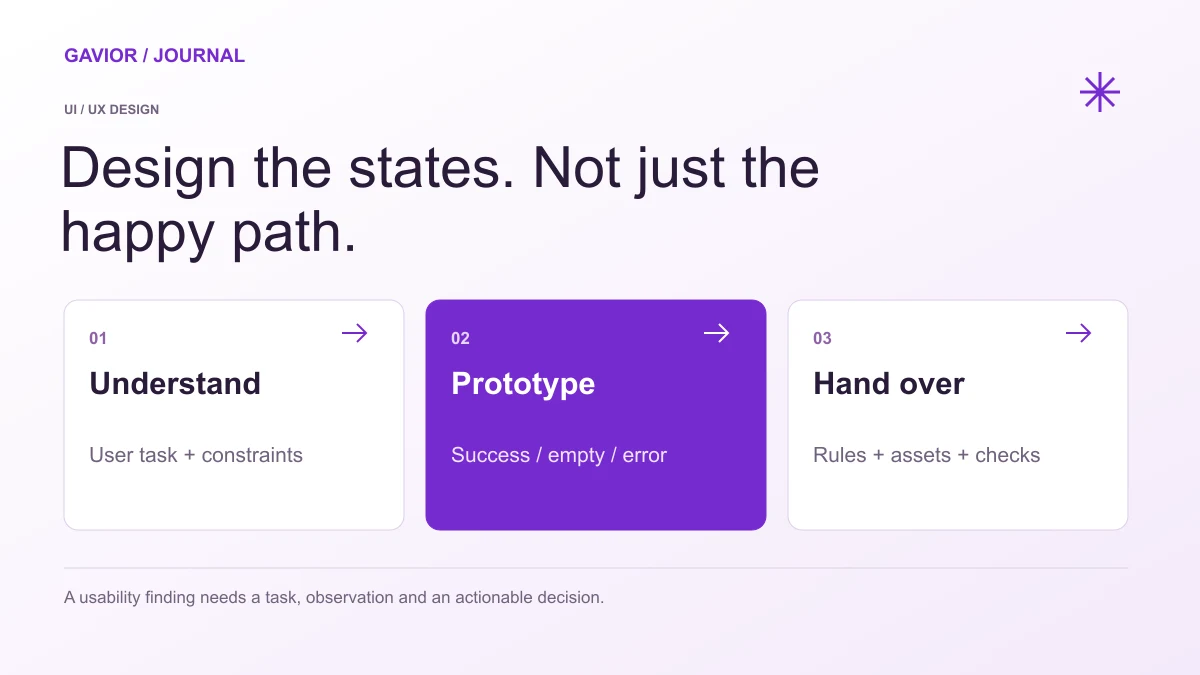
Include empty, error, permission and successful states in a design handover. View full-size image ↗
A UI UX design agency should define user journeys, information hierarchy, representative screen states, an interactive prototype and a development handover. The proposal should identify research, accessibility and testing responsibilities. Compare agencies using these deliverables and acceptance criteria, rather than counting attractive screens alone.
Make your move
Ready to turn a better idea into a better business?
An interface can look polished while leaving important decisions unresolved. What happens when a user has no records, loses a connection, lacks permission or enters invalid data? Those states affect implementation effort and whether a customer can finish the task. Put them into the design brief before approving the final screen count.
Gavior scopes UI/UX design services for websites, SaaS and mobile products. This guide provides a practical comparison framework; it does not claim that every engagement includes the same research programme or a particular certification.
What should the agency understand before drawing screens?
Define the primary user, the task they must complete, their current process and the constraints on the product. Supply existing support questions, workflow documents or research with permission. If no research exists, agree how the agency will test its assumptions.
For an illustrative team portal, the core task might be submitting a request and receiving an approved decision. The design brief should distinguish the requester, reviewer and administrator. A single generic dashboard is not a substitute for mapping what each role needs to do.
Which deliverables make a design proposal reviewable?
Name the outputs, their review owner and the evidence needed for acceptance. A proposal can exclude some of these activities, but the exclusions should be visible so the buyer knows who will supply them.
Deliverable
What the receiving team should be able to review
Journey map
A complete task with the relevant roles and decisions
Information structure
Navigation, page relationships and content priorities
Wireframes
Layout and task sequence before visual polishing
Interactive prototype
Representative actions, transitions and recovery paths
Component rules
Reusable elements, variants, spacing and typography
State inventory
Loading, empty, error, disabled, permission and successful states
Research findings
Task, observation, limitations and the resulting decision
Handover
Editable files, assets, behaviour notes and open questions
If the engagement is a small landing page, a large research package may be unnecessary. If it is a multi-role operational product, a set of static desktop screens is unlikely to describe the required behaviour. Scale the deliverables to the decision and workflow.
Which screen states should buyers check?
Walk through the task with realistic data and unsuccessful actions. Review how a form identifies invalid fields, how a table behaves without records and how the product explains an action the user cannot perform.
W3C's Error Identification guidance explains that automatically detected input errors need identification and a text description. A red border alone does not explain what went wrong. Put the error wording and placement into the prototype and verify the implemented behaviour too.
For mobile and touch use, review target dimensions and spacing. W3C's Target Size guidance describes minimum-size and spacing requirements with exceptions. An attractive prototype is not, by itself, a complete accessibility assessment or proof that the implementation conforms to WCAG.
How should a usability test produce a useful decision?
Give a representative participant a task, observe what they do and record where the intended path breaks down. Keep the observation distinct from the team's interpretation. Agree the recruitment, consent, recording and reporting approach before involving people.
A useful finding names the task and barrier. For example, “the reviewer looked for pending requests under Accounts because the navigation label was unclear” points to an information-structure decision. A statement such as “users love the design” provides little guidance for implementation.
Report the limits of the exercise: who participated, which journeys were tested and which devices or conditions were excluded. A small qualitative exercise should not become an invented conversion percentage or a claim about all future users.
What should developers receive at handover?
Developers need editable source files, exportable assets, component variants, responsive behaviour and the rules behind important states. Identify interaction details that a static screenshot cannot communicate, such as validation timing, filtering, sorting and permission-dependent actions.
Handover question
Evidence to request
What changes on a narrow screen?
Layout rules for representative widths and long content
Which variants are reusable?
Named component states and their intended use
What triggers this message?
A clear condition and agreed wording
Which decisions remain unresolved?
A maintained list with an owner
How will implementation be reviewed?
A scoped design review and acceptance process
Do not assume that a design file includes production code, backend validation or third-party licences. The proposal should name those responsibilities. Connect this handover to the SaaS MVP scope checklist or mobile app acceptance scope where relevant.
How can you compare agencies fairly?
Give each supplier the same workflow, available evidence, platform targets and delivery constraints. Ask it to separate discovery, design, testing and handover, and explain what would require a scope change. Request examples that show reasoning as well as finished visuals.
Is a clickable prototype the same as a working application?
No. A prototype demonstrates selected interactions and structure. Production software also needs implemented business rules, data handling, access controls and verification that are outside a visual prototype.
Should an agency price design only by screen count?
Screen count is one input. Roles, workflow complexity, responsive behaviour, research, interaction states and handover responsibilities also affect the work and should appear in the proposal.
Does a design handover guarantee accessibility compliance?
No. Accessible design decisions need to be implemented and checked in the actual product. Agree the applicable criteria, evaluation scope, evidence and remediation responsibilities.
Can Gavior connect design with development?
Gavior provides design and development services. Agree whether the engagement covers design alone or also implementation, release checks and handover; the proposal defines the included work.
G
Gavior Editorial Team
Product and design editorial team at Gavior
The Gavior Editorial Team shares practical guidance on product design, software engineering, cloud delivery and AI automation.